




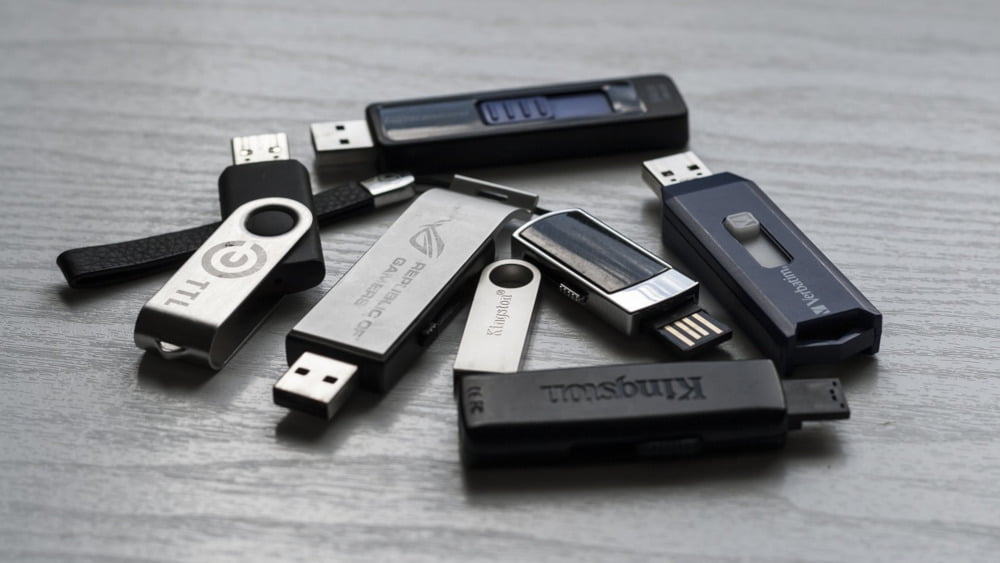
Mobile storage media are very popular due to the ability to transfer large portions of data. Devices such as flash drives are also used to store and archive files from various private collections. On the other hand, despite their functionality, they are also much more vulnerable to mechanical damage than stationary units. How and when can you recover data from a failed flash drive?
PRAKTYCZNY PORADNIK DLA CIEBIE Darmowy poradnik przygotowany przez ekspertów AVG dla osób, które słabo znają się na komputerach. Zawiera podpowiedzi, rady, wskazówki zwiększające Twoje bezpieczeństwo. PRZYSPIESZENIE KOMPUTERA I SMARTFONU Currently, the best program on the market to optimize, manage, free up space and speed up the work of a computer and Android smartphone . [emergency mode] UNLIMITED POSITIONS ZAAWANSOWANA OCHRONA ANTYWIRUSOWA Dedykowany dla ochrony domu lub małej firmy. Chroni przed wszystkimi rodzajami zagrożeń, wirusami, dodatkowo zawiera ochronę bankowości online, płatności elektronicznych. DWA PROGRAM DODATKOWO GRATIS E-BOOK DLA PRZEDSIĘBIORCÓW Darmowy e-book przygotowany specjalnie dla właścicieli małych i średnich firm zawierający praktyczne porady dotyczące bezpieczeństwa w internecie Twojego businessu.Check out our free guides and programs

Encyklopedia Bezpieczeństwa AVG

AVG TuneUp

AVG Internet Security

Bezpieczna firma z AVG
When can we recover data from a damaged pendrive?
Data recovery from a mobile storage medium is not a uniform process and does not create the same opportunities for success. The type of damage determines the latter, as well as time, costs (paid software) and the need for specialist assistance.
Although each flash drive uses flash technology, in fact the individual models differ in construction, capacity and technical parameters. In practice, devices with a built-in chip and so-called monoliths. Each of them requires different methods and tools. An additional difficulty is also created by the huge variety of products on the market that many well-known manufacturers offer.
A small storage medium is usually carried in a pocket, purse or backpack without adequate protection. All it takes is a moment of inattention to fall into the water or crumple under pressure. In general, flash drive damage can be divided into logical, electronic and mechanical. All of them create the possibility of recovering files, but they are associated with a different degree of difficulty and require the use of other methods . The simplest problems that you can solve at home yourself are logical damage. They are the result of inattention, accidental file deletion or disk format execution.

How to recover data from a pendrive?
Your USB stick fails, doesn’t communicate with the computer, doesn’t display files, or is it infected? Have you accidentally deleted your favorite holiday photos or formatted the medium without creating a copy of its content? You don’t have to worry about losing her forever.
In many such situations it is possible to recover files at home. Although much better results will be guaranteed by a good computer service , you can do the first recovery attempts yourself. However, you must remember a few rules.
When your data carrier begins to show the first signs of malfunction, do not perform any operations on it. Any action can overwrite the files with existing data, and then recovery of the content will be much more difficult . Many users do not know that you can recover data from a flash drive that has been formatted, provided that it has not been overwritten. You have two options – free software and a visit to a professional website.
You may also be interested in: You have flooded the laptop? Check how to save him!
Try to recover the data using the program
If the data on the storage media has been damaged, inaccessible or you accidentally deleted the pictures – do not format the pendrive but use the free software. Manufacturers offer many free versions of applications that help in recovering data from a flash drive . These include: EaseUS Data Recovery, Recuva, TestDisk & PhotoRec, Disc Drill Free, Puran, File, Recovery, StrongRecovery, Flash Drive recovery and many others.
After choosing the right application, proceed as follows:
- download, install and launch the application,
- connect the pendrive to the computer,
- in the program window select the device from which you recover data,
- choose the appropriate scanning option (if available) – in most programs you can choose the quick or exact scanning option. In the second case, the process takes much longer, but also provides better results,
- wait for the program to search for all recovered files,
- select from the list and save to disk files that you want to keep – it should be a different medium than the one from which you are recovering data.

Go to computer service
Self recovery of data using free software is only possible in a small percentage of cases and mainly concerns logical damage. It is much more difficult to recover data after formatting the pendrive or its mechanical or electronic damage. If the error is serious, there has been flooding the media device or break, you can use the help of professionals who have the knowledge and equipment. Printers Drivers
Data recovery services from various storage media, including pendrives, are provided by ABC Computers MESKOMP from Katowice . Thanks to the knowledge and experience of service technicians and technical facilities, they can recover lost data not only after deleting or formatting them.
This is also possible if the damage does not allow access to the memory chip. In such cases, the Chip-Off method is usually used, which consists in desoldering the bone and reading and decoding it using a special algorithm. Data recovery from a pen drive is impossible in home conditions .
Another advantage of the service option is also access to expensive commercial software, which ensures much greater effectiveness than in the case of free public programs.

How much data can be recovered from a damaged USB stick?
Despite the belief that deleting files or formatting memory deletes all stored information, in fact they almost never disappear permanently. Therefore, in the case of logical errors, you can recover them almost 100%. The situation is different when the carrier has been damaged mechanically or electronically. Then, restoring files is only possible from those memory areas that are in good condition. Sometimes the read data is also incomplete and it is not possible to repair damaged files.
Certainly, in difficult cases, a much greater chance of recovering photos after disk format or flooding the media is created by using the help of specialists from companies such as ABC Computer Service MESKOMP from Katowice.
Sponsored article
Podobał Ci się ten artykuł?
Zapisz się na listę i nie przegap nowych ciekawostek, porad i konkursów!